
How to extract structured data with an AI schema
CSS selectors are exact and cheap, but you have to write one per field and fix them when the site changes. AI extraction lets you describe the fields in plain English instead. Add a schema and you also pin the shape of the answer: the key names, and whether each value is a string, a number or an integer. This tutorial extracts a typed product record from a practice product page, and shows the one case where a selector still wins.
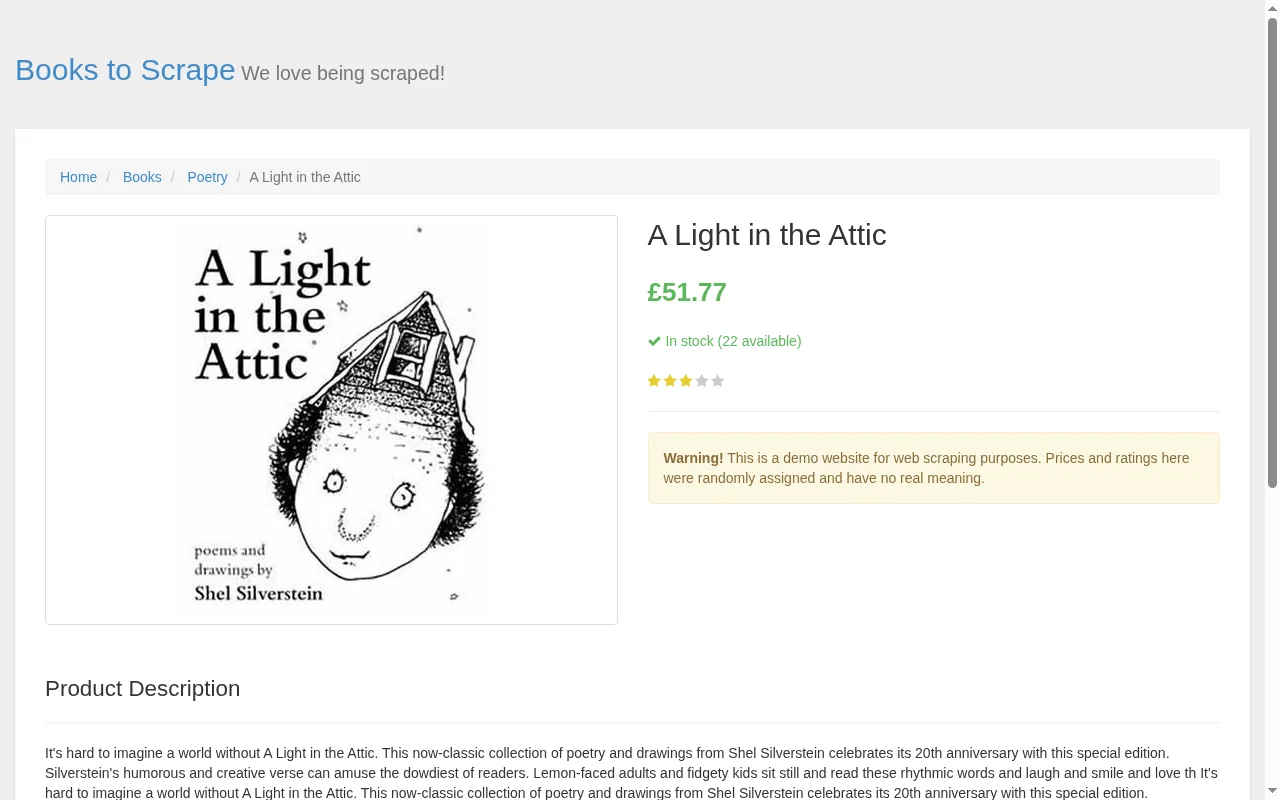
"screenshot": true. Note the price, the stock count and the stars.The request
Send a prompt instead of fields, and a schema that maps each key to a type:
curl https://scrape.land/v1/extract \
  -H "X-Api-Key: YOUR_KEY" \
  -H "Content-Type: application/json" \
  -d '{"url": "https://books.toscrape.com/catalogue/a-light-in-the-attic_1000/index.html",
       "prompt": "the book: title, price as a number, currency code, star rating from 1 to 5, how many are in stock, and the category",
       "schema": {"title": "string", "price": "number", "currency": "string",
                  "rating": "integer", "in_stock": "integer", "category": "string"}}'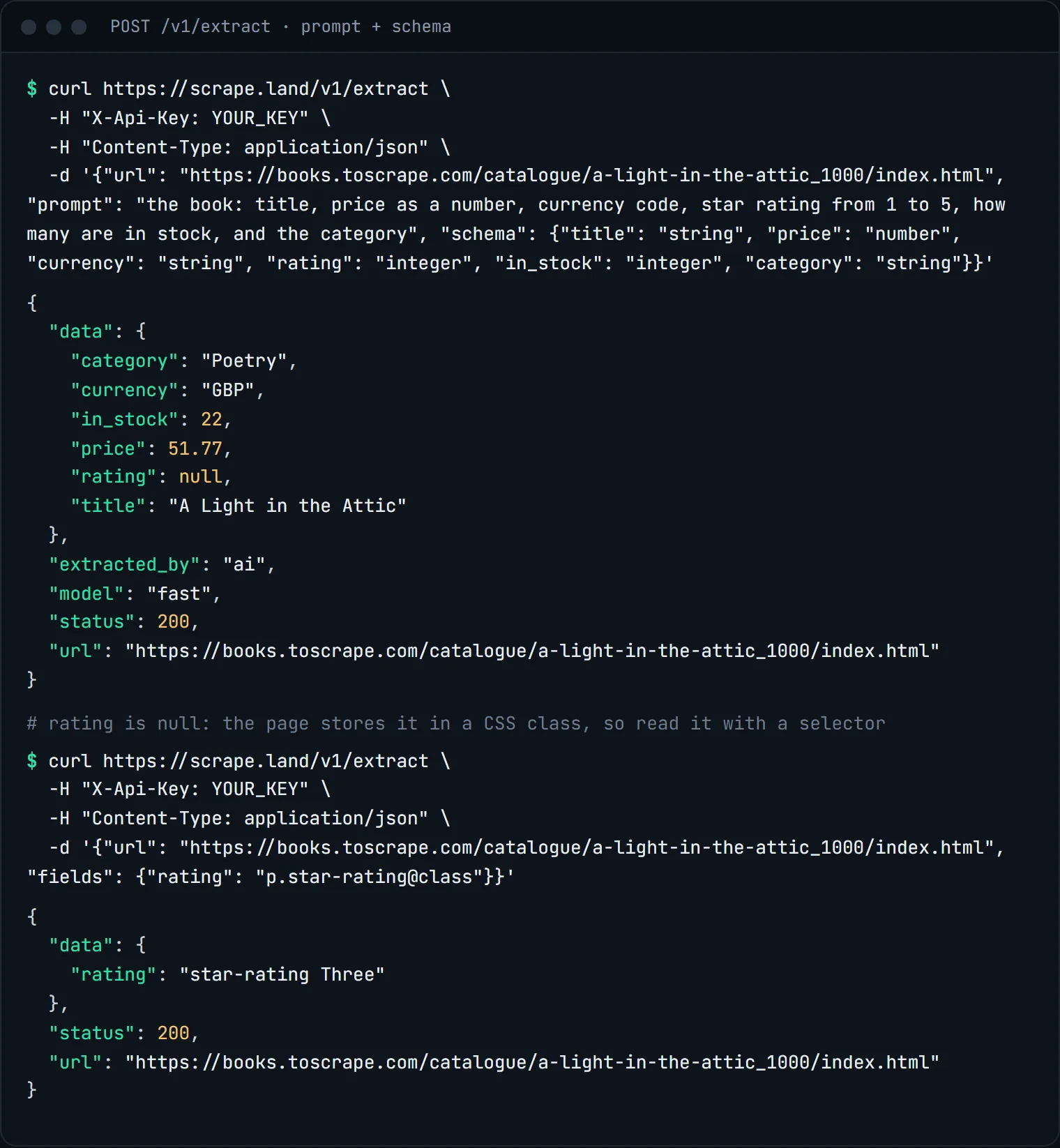
null for the one field it could not see. A 1-unit selector call filled the gap.Look at what the schema bought you. price is the number 51.77, not the string "£51.77". currency is "GBP", although the page only shows a pound sign. in_stock is the integer 22, pulled out of the sentence "In stock (22 available)". category is "Poetry", which only appears in the breadcrumb. You did not write a selector or a regex for any of them.
Why rating came back null
The stars on this page are drawn by CSS. The only place the rating exists is a class name: <p class="star-rating Three">. AI extraction reads the page's visible text plus its structured metadata (JSON-LD, OpenGraph, microdata), not its class names, so there was nothing for the model to read, and it said null rather than guess. That is the behaviour you want: a missing value you can see, not an invented one.
Data hidden in attributes is what selectors are for. A second, plain call reads it for 1 unit:
{"url": "https://books.toscrape.com/catalogue/a-light-in-the-attic_1000/index.html",
 "fields": {"rating": "p.star-rating@class"}}
It returned "star-rating Three". Note that a request with a prompt ignores fields, so mix the two approaches as two calls, not one.
The same thing in Python
import requests

URL = "https://books.toscrape.com/catalogue/a-light-in-the-attic_1000/index.html"
HEADERS = {"X-Api-Key": "YOUR_KEY"}
STARS = {"One": 1, "Two": 2, "Three": 3, "Four": 4, "Five": 5}

ai = requests.post("https://scrape.land/v1/extract", headers=HEADERS, timeout=150, json={
    "url": URL,
    "prompt": "the book: title, price as a number, currency code, "
              "how many are in stock, and the category",
    "schema": {"title": "string", "price": "number", "currency": "string",
               "in_stock": "integer", "category": "string"},
}).json()["data"]

css = requests.post("https://scrape.land/v1/extract", headers=HEADERS, timeout=60, json={
    "url": URL, "fields": {"rating": "p.star-rating@class"},
}).json()["data"]

ai["rating"] = STARS.get((css["rating"] or "").split()[-1])
print(ai)
Tips
- Lists. Ask for "every product on the page" and a list comes back under
data.items. - Presets. For common page types you can skip the prompt:
"extract_type": "product"(orarticle,job,event,recipeand more) applies a curated prompt and schema. - Tiers.
"model": "fast"is the default and right for reading stated fields.smartis for answers that have to be worked out from several parts of the page, andmaxfor extractions where every field must be right. - Empty pages. If the page has no text (a JavaScript-only page fetched without rendering), you get a
422telling you to retry with"render": true, instead of a model call that returns nulls.
What it costs
AI extraction bills the fetch (1 unit) plus the tier: fast from 2 units, smart from 4, max from 25, more in proportion for a very large page or a long answer. The schema call above was 3 units, and the selector call 1. A failed extraction is not billed. AI extraction is available from the Scale plan ($499 for 3.4M requests a month) up; selectors work on every plan, Free included. See pricing.
Next steps
Prompts, schemas, presets and tiers are documented in the docs. For selector-only extraction, see product prices into a spreadsheet. To choose which pages to extract in the first place, see ranking links with AI. Create an account to try it.