
How to keep one IP for a whole session
By default every request leaves from a fresh exit IP. That is what you want for spreading load across a site. It is the wrong thing for a login, a cart, a checkout or any multi-step flow, because many sites tie a session to the IP that started it and quietly reset it when the IP changes. This tutorial shows the difference with httpbin.org/ip, which answers with the IP address it saw.
Rotation is the default
Call the same URL twice without any session option:
curl https://scrape.land/v1/fetch \
  -H "X-Api-Key: YOUR_KEY" \
  -H "Content-Type: application/json" \
  -d '{"url": "https://httpbin.org/ip", "format": "text"}'
The two calls reported two different origin addresses. Then we added a session name and called three times in a row:
curl https://scrape.land/v1/fetch \
  -H "X-Api-Key: YOUR_KEY" \
  -H "Content-Type: application/json" \
  -d '{"url": "https://httpbin.org/ip", "format": "text", "session": "cart-7"}'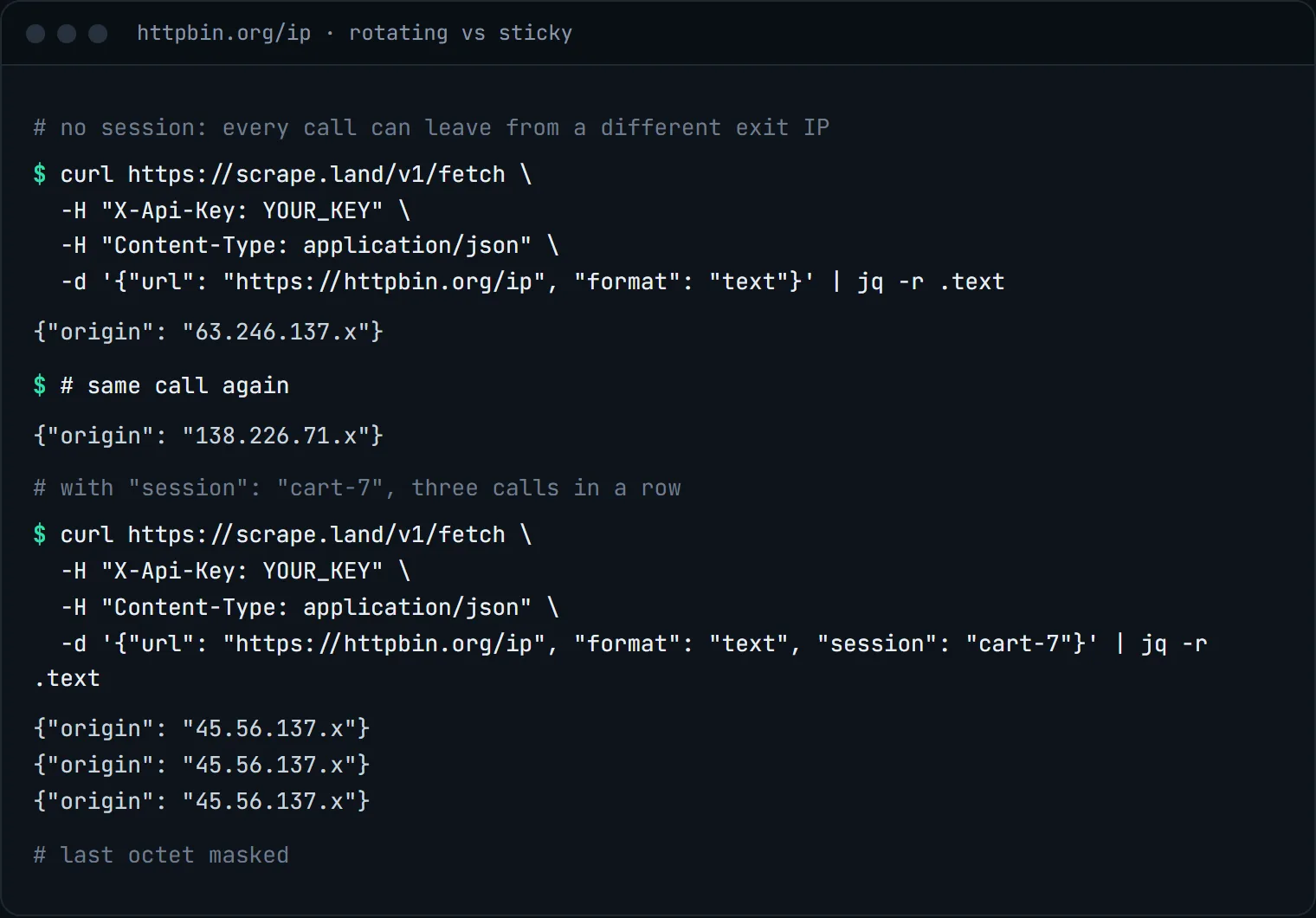
"session": "cart-7": three calls, one exit IP. The last octet is masked.How sessions behave
- Any string works as a name. The first request with a new name picks an exit IP and pins it. Every later request with the same name, from the same account, leaves from that IP.
- About ten minutes. A session stays pinned for about 10 minutes, then it rotates. Plan flows that finish well inside that window, or start a new session name for the next flow.
- One name per logical user. If you run twenty checkouts in parallel, give each its own name (
cart-1,cart-2, ...). Sharing one name makes all twenty look like one visitor. - Works everywhere.
sessionis a shared option: it works on/v1/fetch,/v1/extract,/v1/batchand in jobs, with or withoutrender. On the raw tunnel, add-session-NAMEto your key instead. - Combine with a country.
"country": "gb", "session": "uk-basket-1"pins one British exit IP for the flow.
A multi-step flow in Python
The pattern: create one session name per flow, and send it on every call that belongs to that flow. Here, a cookie from step one is carried to step two, and both steps leave from the same IP:
import uuid
import requests

API = "https://scrape.land/v1/fetch"
HEADERS = {"X-Api-Key": "YOUR_KEY"}
session = f"flow-{uuid.uuid4().hex[:8]}"  # one name per logical user

def fetch(url, **opts):
    r = requests.post(API, headers=HEADERS, timeout=60,
                      json={"url": url, "session": session, "format": "text", **opts})
    r.raise_for_status()
    return r.json()

# step 1: the site sets a cookie; ask for the response headers to read it
first = fetch("https://httpbin.org/cookies/set?basket=42", headers=True)
print(first["status"])

# step 2: send the cookie back, from the same exit IP
second = fetch("https://httpbin.org/cookies", cookies="basket=42")
print(second["text"])

# check: both calls came from one IP
print(fetch("https://httpbin.org/ip")["text"])
Each call is independent on the API side: a session pins the exit IP, not cookies. You carry the cookies yourself, which keeps you in control of what state each request sends.
When not to use sessions
For plain page collection (catalogs, articles, search result pages) leave session out. Rotation spreads your requests across many exit IPs, which is gentler on the target and less likely to hit a per-IP rate limit. When a request is blocked, the API retries it on another exit IP, and you are not billed for the blocked attempt. A sticky session narrows that choice, so only use it when the flow needs it.
What it costs
Nothing extra. A sticky session is part of the fetch: every call above is 1 request unit, the same as a rotating one. See pricing.
Next steps
Sessions on the tunnel and on the API are described in the docs. To pick the country of the exit IP, see geo-targeted results by country. To use rotation from any HTTP client without the API, see rotating IPs with tunneling. Create a free account to try it.