
How to run long scrapes asynchronously with jobs and webhooks
A synchronous call keeps your connection open until the work is done. That is fine for one page. It is awkward for a batch of rendered pages, a slow site, or a serverless function with a short timeout. POST /v1/jobs takes the same request, answers immediately with a job id, and runs the work in the background. You then poll for the result, or have it POSTed to your server when it is ready.
Submit a job
A job body is the normal request for an operation plus a type: fetch, extract, batch or search. Add webhook_url to be called when it finishes. Here, three catalog pages from books.toscrape.com as a batch job:
curl https://scrape.land/v1/jobs \
  -H "X-Api-Key: YOUR_KEY" \
  -H "Content-Type: application/json" \
  -d '{"type": "batch",
       "urls": ["https://books.toscrape.com/catalogue/page-1.html",
                "https://books.toscrape.com/catalogue/page-2.html",
                "https://books.toscrape.com/catalogue/page-3.html"],
       "fields": {"titles": {"css": "article.product_pod h3 a", "attr": "title", "all": true}},
       "webhook_url": "https://your.app/hooks/scrapeland"}'
The answer is a 202 with the id, before any page has been fetched. Then poll GET /v1/jobs/{id}:
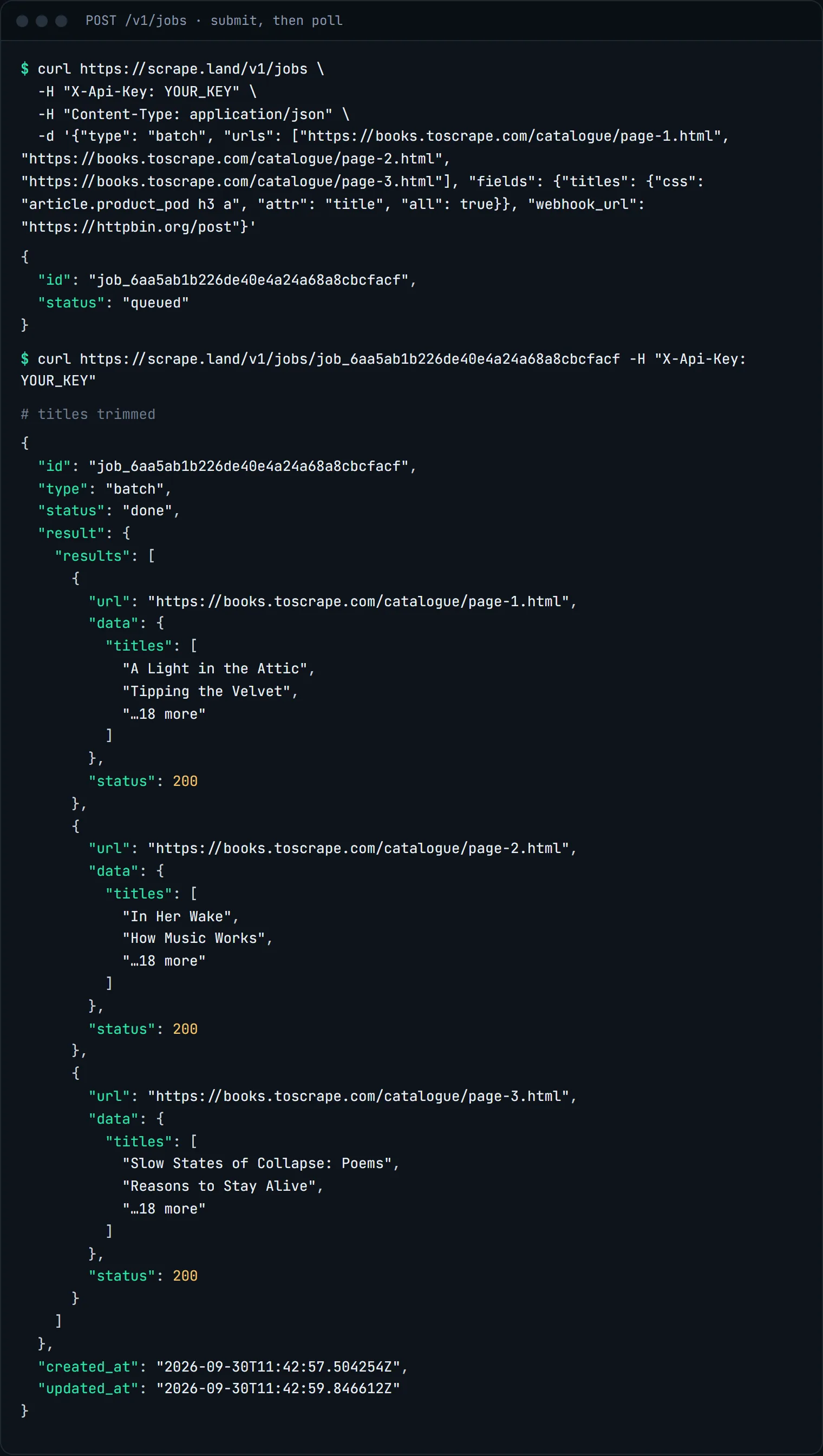
queued, and done with the batch result on the next poll. Titles trimmed.A finished job carries result, which is exactly what the synchronous endpoint would have returned: here, the batch's results array. GET /v1/jobs?limit=20 lists your recent jobs, newest first, without the result blobs.
Poll from Python
import time
import requests

API = "https://scrape.land"
HEADERS = {"X-Api-Key": "YOUR_KEY"}

job = requests.post(f"{API}/v1/jobs", headers=HEADERS, timeout=30, json={
    "type": "extract",
    "url": "https://quotes.toscrape.com/scroll",
    "render": True,
    "block_resources": True,
    "actions": [{"type": "scroll"}, {"type": "wait", "ms": 1500}],
    "fields": {"quotes": {"css": ".quote .text", "all": True}},
}).json()

while True:
    j = requests.get(f"{API}/v1/jobs/{job['id']}", headers=HEADERS, timeout=30).json()
    if j["status"] not in ("queued", "running"):
        break
    time.sleep(2)

print(j["status"])
if j["status"] == "done":
    print(len(j["result"]["data"]["quotes"]), "quotes")
Receive a webhook
With webhook_url, the API POSTs {"id", "status", "result"} to that URL when the job ends. The URL must be public https; internal and loopback addresses are rejected. Every delivery carries an X-Scrapeland-Signature header, t=<unix time>,v1=<hex>, where the hex is an HMAC-SHA256 of "<t>.<raw body>" keyed with your webhook secret (ask support for the secret). Verify it before you trust the body:
import hashlib, hmac, time

def verify(raw_body: bytes, header: str, secret: str, tolerance=300) -> bool:
    parts = dict(p.split("=", 1) for p in header.split(",") if "=" in p)
    ts, sig = parts.get("t", ""), parts.get("v1", "")
    if not ts or not sig or abs(time.time() - int(ts)) > tolerance:
        return False  # missing, or too old: could be a replay
    expected = hmac.new(secret.encode(), ts.encode() + b"." + raw_body,
                        hashlib.sha256).hexdigest()
    return hmac.compare_digest(expected, sig)
Sign the raw bytes you received, not a re-serialized copy of the JSON, and compare in constant time as above. Rejecting old timestamps is what stops a captured delivery from being replayed at you later. Answer the webhook quickly and do the heavy work afterwards; treat the job id as the key, so a repeated delivery does not create duplicate rows.
When to use a job
- Slow extractions. A synchronous request gets a 150-second budget, after which it answers
504. A job gets 5 minutes. - Batches of rendered pages, where 20 renders add up.
- Serverless and queues. Submit from a function with a short timeout, and let the webhook trigger the next step.
For quick plain fetches, the synchronous endpoints are simpler, and you get the answer in the same round trip.
What it costs
Running work as a job costs nothing extra: each job is metered exactly like the same synchronous call. The batch job above was three plain pages, 3 request units. Polling and listing jobs are free. See pricing.
Next steps
The jobs endpoint and the webhook signature are documented in the docs. Batches themselves are covered in batch-scrape many URLs, and scheduled runs in monitoring prices on a schedule. Create a free account to submit your first job.