
How to scrape a web page with Node.js, Go and PHP
The scrape.land API is plain HTTPS and JSON, so any language that can send a POST request can use it, with no SDK to install. This tutorial writes the same extraction three times, in Node.js, Go and PHP, using only each language's standard library. We ran all three against quotes.toscrape.com, a practice site, and they printed the same three quotes.
The request, once
Every version sends the same thing: a POST to https://scrape.land/v1/extract with your key in the X-Api-Key header and this JSON body. The nested field returns one object per quote, with its text and author read from inside that quote's own box:
{"url": "https://quotes.toscrape.com/",
 "fields": {
   "quotes": {"css": ".quote", "fields": {"text": ".text", "author": ".author"}}
 }}
The response has the same shape in every language: {"url": ..., "status": 200, "data": {"quotes": [{"text": ..., "author": ...}, ...]}}. If you prefer to try it from a terminal first:
curl https://scrape.land/v1/extract \
  -H "X-Api-Key: YOUR_KEY" \
  -H "Content-Type: application/json" \
  -d '{"url": "https://quotes.toscrape.com/",
       "fields": {"quotes": {"css": ".quote", "fields": {"text": ".text", "author": ".author"}}}}'
Node.js
Node 18 and later have fetch built in. Save as quotes.mjs (the .mjs extension allows top-level await) and run node quotes.mjs:
// Node.js 18+ (built-in fetch), no dependencies.
const res = await fetch("https://scrape.land/v1/extract", {
  method: "POST",
  headers: { "X-Api-Key": "YOUR_KEY", "Content-Type": "application/json" },
  body: JSON.stringify({
    url: "https://quotes.toscrape.com/",
    fields: {
      quotes: { css: ".quote", fields: { text: ".text", author: ".author" } },
    },
  }),
});
if (!res.ok) throw new Error(`HTTP ${res.status}: ${await res.text()}`);
const { data } = await res.json();
for (const q of data.quotes.slice(0, 3)) console.log(`${q.author}: ${q.text}`);
Go
Only the standard library. Decoding into a struct gives you typed fields instead of map[string]any lookups. Save as main.go in a new module and run go run .:
package main

import (
	"bytes"
	"encoding/json"
	"fmt"
	"log"
	"net/http"
)

type quote struct {
	Text   string `json:"text"`
	Author string `json:"author"`
}

func main() {
	body, _ := json.Marshal(map[string]any{
		"url": "https://quotes.toscrape.com/",
		"fields": map[string]any{
			"quotes": map[string]any{
				"css":    ".quote",
				"fields": map[string]string{"text": ".text", "author": ".author"},
			},
		},
	})
	req, _ := http.NewRequest("POST", "https://scrape.land/v1/extract", bytes.NewReader(body))
	req.Header.Set("X-Api-Key", "YOUR_KEY")
	req.Header.Set("Content-Type", "application/json")

	resp, err := http.DefaultClient.Do(req)
	if err != nil {
		log.Fatal(err)
	}
	defer resp.Body.Close()
	if resp.StatusCode != http.StatusOK {
		log.Fatalf("HTTP %d", resp.StatusCode)
	}
	var out struct {
		Data struct {
			Quotes []quote `json:"quotes"`
		} `json:"data"`
	}
	if err := json.NewDecoder(resp.Body).Decode(&out); err != nil {
		log.Fatal(err)
	}
	for _, q := range out.Data.Quotes[:3] {
		fmt.Printf("%s: %s\n", q.Author, q.Text)
	}
}
PHP
The cURL extension ships with almost every PHP install. Save as quotes.php and run php quotes.php:
<?php
$ch = curl_init("https://scrape.land/v1/extract");
curl_setopt_array($ch, [
    CURLOPT_POST => true,
    CURLOPT_RETURNTRANSFER => true,
    CURLOPT_TIMEOUT => 60,
    CURLOPT_HTTPHEADER => ["X-Api-Key: YOUR_KEY", "Content-Type: application/json"],
    CURLOPT_POSTFIELDS => json_encode([
        "url" => "https://quotes.toscrape.com/",
        "fields" => [
            "quotes" => ["css" => ".quote", "fields" => ["text" => ".text", "author" => ".author"]],
        ],
    ]),
]);
$body = curl_exec($ch);
$status = curl_getinfo($ch, CURLINFO_HTTP_CODE);
if ($status !== 200) {
    exit("HTTP $status: $body\n");
}
$data = json_decode($body, true)["data"];
foreach (array_slice($data["quotes"], 0, 3) as $q) {
    echo $q["author"] . ": " . $q["text"] . "\n";
}
The output
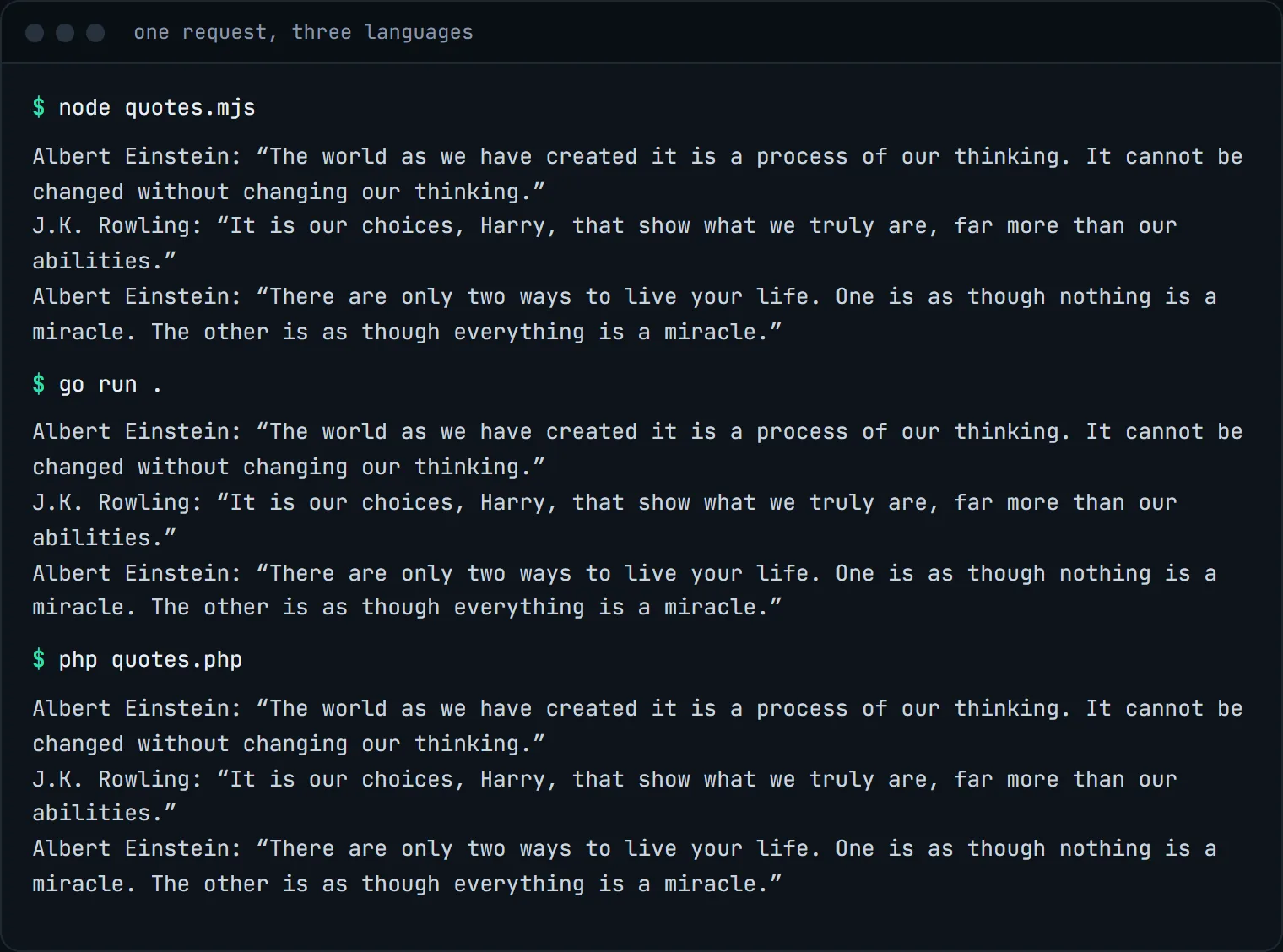
We ran each program as printed above (with a real key in place of YOUR_KEY). Same request, same answer:
Things every version does
- Checks the status code.
200means the page was fetched and extracted. A4xxfrom the API carries a JSONerrormessage that says what to fix (a bad selector, a missing field, a plan limit). A402means your quota or balance ran out. - Sets a timeout. Plain fetches usually answer in seconds, but a slow target or a rendered page takes longer. Give rendered requests a longer timeout.
- Keeps the key out of the code. The examples show
YOUR_KEYfor clarity. In a real program read it from an environment variable (process.env,os.Getenv,getenv) so it never lands in version control.
Everything else in the API works the same way from these three programs: add "render": true for JavaScript pages, "country": "de" for a German exit IP, or swap the endpoint for /v1/fetch to get the whole page as Markdown. Python examples are in every other tutorial on this blog, starting with scraping a paginated catalog.
If you would rather not write any HTTP code at all, the API can also be called from Claude and other AI assistants over MCP (see using scrape.land from Claude), or from a spreadsheet (see Google Sheets with Apps Script).
What it costs
The request is one plain fetch with CSS fields: 1 request unit, in any language. Our three runs cost 3 units. The Free plan includes 1,000 requests a month, no card required. See pricing.
Next steps
The docs show every endpoint in curl, Python, Node.js, Go and PHP. Create a free account, copy your key, and run whichever version fits your stack.