
How to scrape a product catalog with pagination
Most catalogs split their products across numbered pages with a "next" link at the bottom. This tutorial reads one page of products and that page's next link in a single call, then loops in Python until the catalog runs out, and writes everything to a CSV. The example target is books.toscrape.com, a shop built for scraping practice.
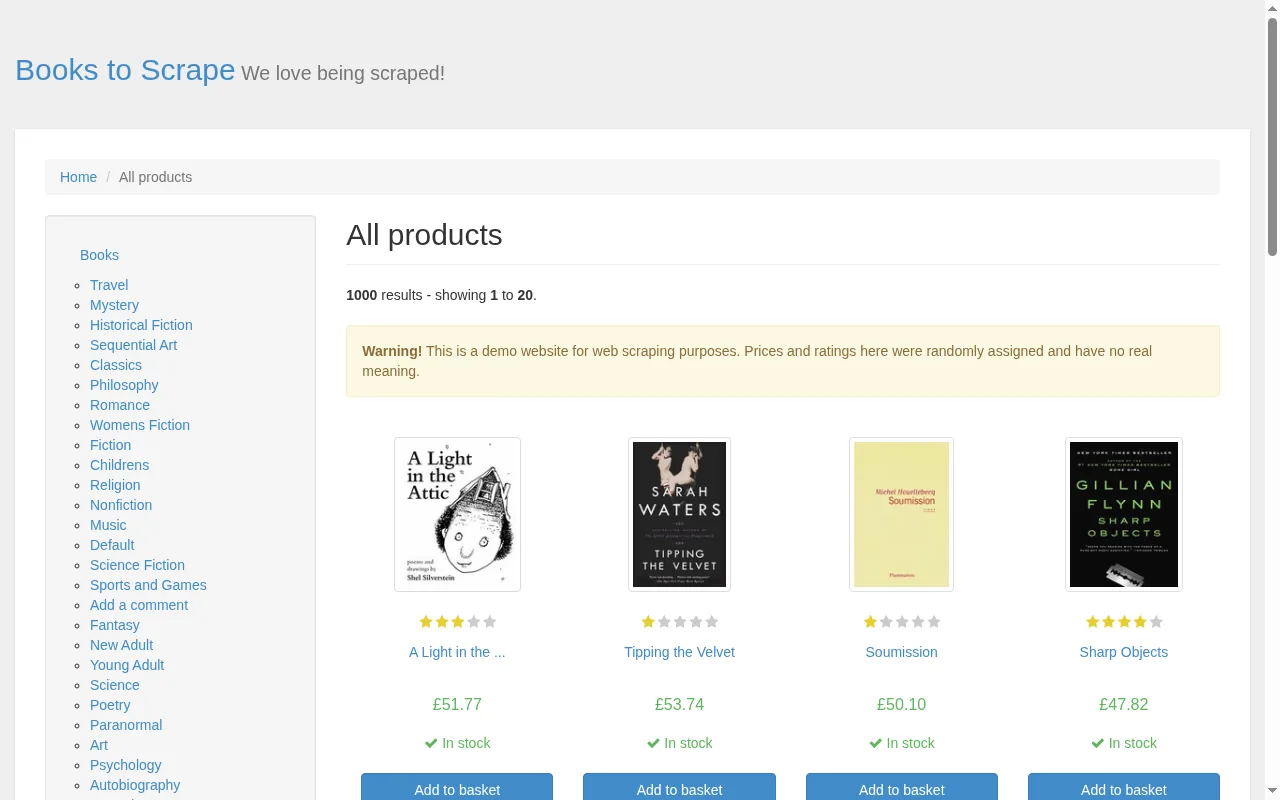
"screenshot": true on POST /v1/fetch. 1,000 books, 20 per page.Why the loop lives in your code
The API is stateless on purpose: one request fetches one page. It does not follow next links for you, and that is a feature. You decide how many pages to read, how fast, in what order, and what to do when a page fails. A loop that you own is also the easiest thing to resume: store the last URL you finished and start from there next time.
So the trick is to make each call return two things: the items on the page, and the URL of the next page. Then the loop is five lines.
Step 1: extract one page
Each book on the page is an article.product_pod. A nested field (a css plus its own fields) gives you one object per book, with every value read from inside that book's own card, so a missing price can never shift the rows around. The selector@attr shorthand reads an attribute instead of text, which is how you get the full title and the link.
curl https://scrape.land/v1/extract \
  -H "X-Api-Key: YOUR_KEY" \
  -H "Content-Type: application/json" \
  -d '{"url": "https://books.toscrape.com/catalogue/page-1.html",
       "fields": {
         "books": {
           "css": "article.product_pod",
           "fields": {"title": "h3 a@title", "price": ".price_color",
                      "stock": ".availability", "url": "h3 a@href"}
         },
         "next": "li.next a@href"
       }}'
This is what came back when we ran it (trimmed to three of the twenty books):
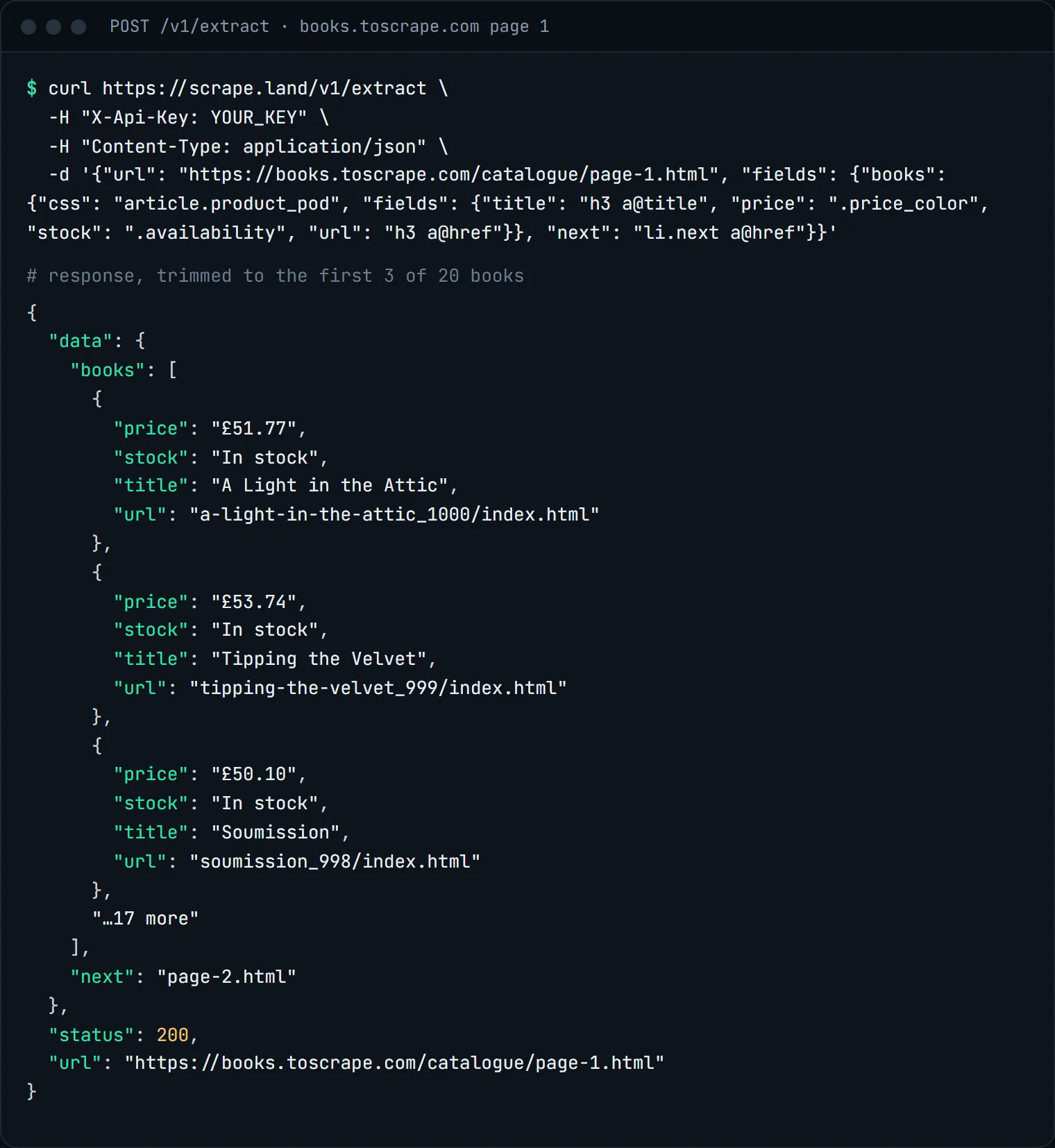
next is page-2.html, and on the last page it is null.Two details matter for the loop. The url and next values are exactly what the page's href attributes say, and on this site they are relative (page-2.html), so resolve them against the page URL. And on the last page there is no li.next, so next comes back null, which is your stop condition.
Step 2: loop and write a CSV
import csv
from urllib.parse import urljoin

import requests

API = "https://scrape.land/v1/extract"
FIELDS = {
    "books": {
        "css": "article.product_pod",
        "fields": {
            "title": "h3 a@title",
            "price": ".price_color",
            "stock": ".availability",
            "url": "h3 a@href",
        },
    },
    "next": "li.next a@href",
}

url = "https://books.toscrape.com/catalogue/page-1.html"
rows, pages = [], 0
while url and pages < 3:  # raise the cap when you are happy with the output
    r = requests.post(API, headers={"X-Api-Key": "YOUR_KEY"},
                      json={"url": url, "fields": FIELDS}, timeout=60)
    r.raise_for_status()
    data = r.json()["data"]
    for b in data["books"]:
        b["url"] = urljoin(url, b["url"])  # hrefs on the page are relative
        rows.append(b)
    pages += 1
    url = urljoin(url, data["next"]) if data["next"] else None

with open("books.csv", "w", newline="", encoding="utf-8") as f:
    w = csv.DictWriter(f, fieldnames=["title", "price", "stock", "url"])
    w.writeheader()
    w.writerows(rows)
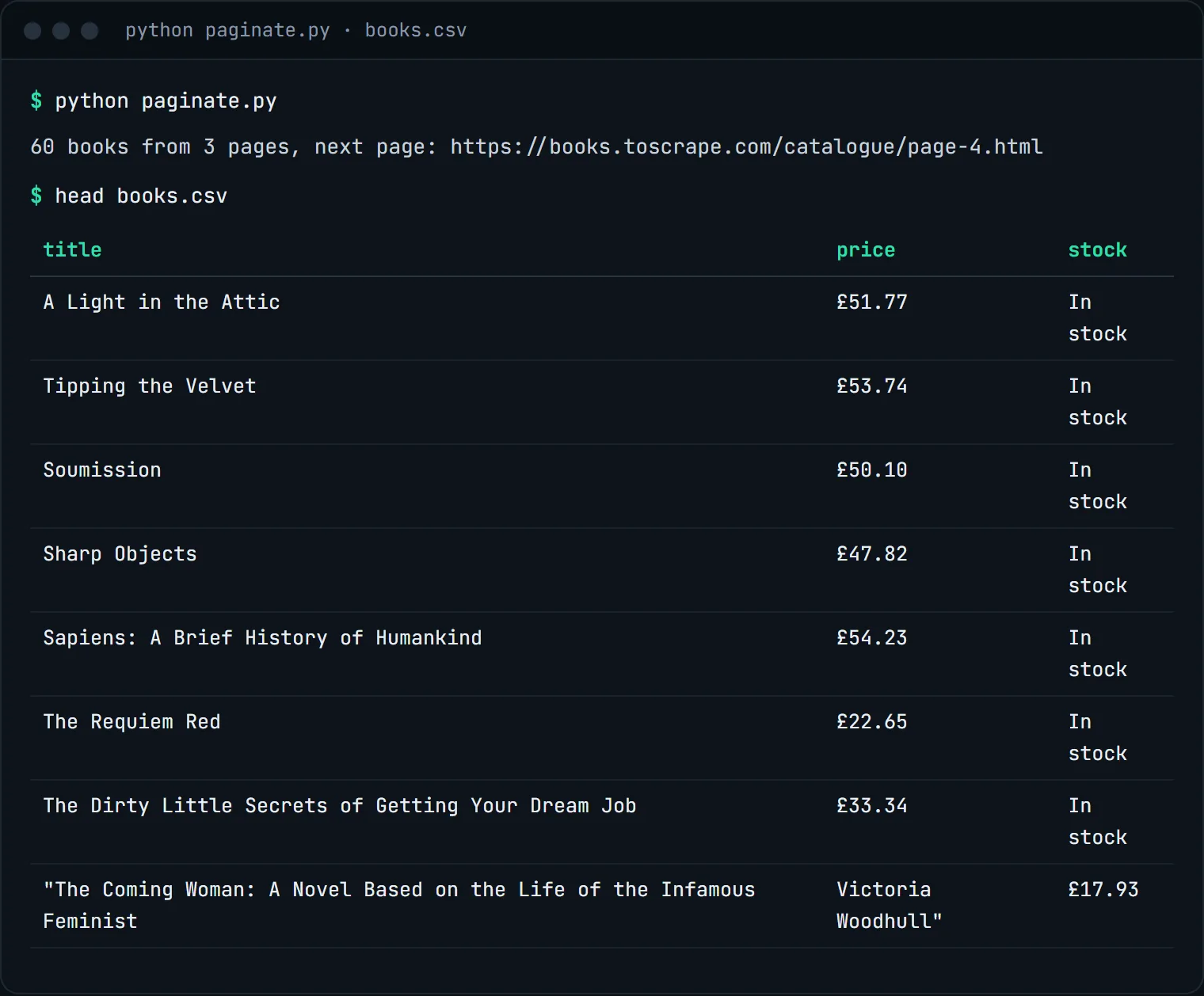
print(f"{len(rows)} books from {pages} pages, next page: {url}")
We ran exactly this script with a cap of three pages:
Making it production-ready
- Keep the cap. A page cap stops a loop that never sees
null(some sites link the last page to itself). Check that the next URL is not one you already visited. - Checkpoint. Append rows to the CSV after each page and save the current URL, so a crash costs you one page, not the whole run.
- Retry politely. The API already retries blocked fetches on other exit IPs and you are not billed for those attempts. If your call itself fails (a timeout on your side, a
503when every browser slot is busy), wait and retry the same URL. - Go parallel when you know the URLs. Numbered pages like
page-1.htmltopage-50.htmldo not need to be discovered one by one. Build the list and send up to 20 at a time to/v1/batch; see batch-scrape many URLs in one call. - Detail pages. The list page gives you title, price and link. For UPC, description or stock counts, feed the collected URLs to a second pass, or let an AI prompt read them (see AI schema extraction).
What it costs
Each page is one plain fetch: 1 request unit. The three-page run above cost 3 units, and the full 50-page catalog would cost 50. No rendering is needed on this site. The Free plan includes 1,000 requests a month with no card, and you only pay for responses that land. See pricing.
Next steps
Selectors, nested fields and the @attr shorthand are documented in the docs. If the catalog loads more products as you scroll instead of using numbered pages, read how to scrape infinite-scroll pages. To track the prices over time, see monitoring prices on a schedule. Create a free account to run the script with your own key.