
How to extract HTML tables into CSV
HTML tables are the easiest structured data on the web to read by eye and one of the more annoying to parse by hand: header rows, several tables on one page, key-value spec tables. This tutorial turns table rows into one JSON object each with a nested selector, writes them to a CSV, and covers the two other table shapes you will meet. The target is the table playground on webscraper.io's test sites.
First, a look at the page
We took a screenshot of the page through the API before writing any selectors. The first capture was mostly cookie banner:
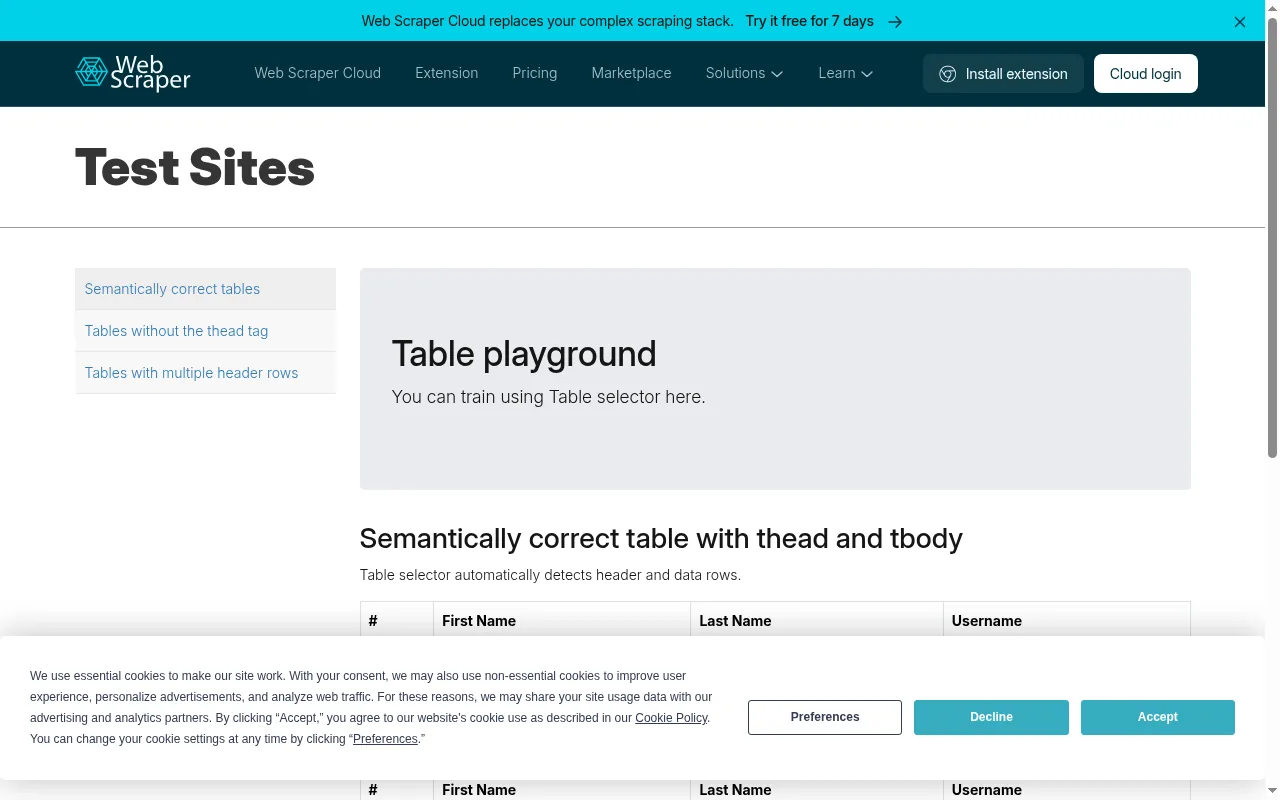
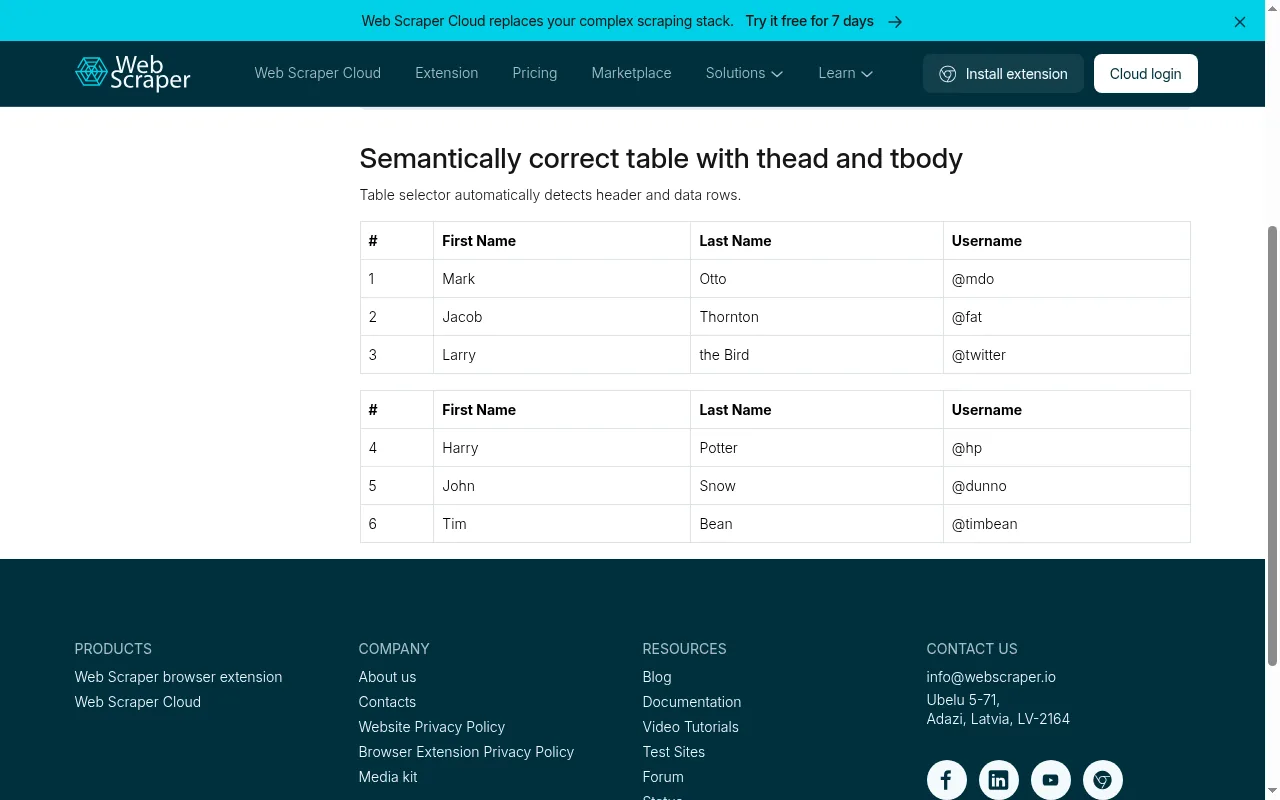
So we added two actions to click the banner's Decline button and scroll down a little before the capture:
{"url": "https://webscraper.io/test-sites/tables",
 "screenshot": true,
 "actions": [
   {"type": "click", "selector": "button[data-tid=banner-decline]"},
   {"type": "wait", "ms": 1000},
   {"type": "scroll", "px": 380}
 ]}
The banner only matters for screenshots. The extraction below is a plain fetch: the table is in the HTML the server sends, so no browser is needed.
Rows as objects
A nested field picks the repeating element with css (here every body row, table tbody tr) and reads its own fields inside each one. :nth-child() picks the column. A separate field reads the header cells once.
curl https://scrape.land/v1/extract \
  -H "X-Api-Key: YOUR_KEY" \
  -H "Content-Type: application/json" \
  -d '{"url": "https://webscraper.io/test-sites/tables",
       "fields": {
         "header": {"css": "table:first-of-type thead th", "all": true},
         "rows": {
           "css": "table tbody tr",
           "fields": {"id": "td:nth-child(1)", "first_name": "td:nth-child(2)",
                      "last_name": "td:nth-child(3)", "username": "td:nth-child(4)"}
         }
       }}'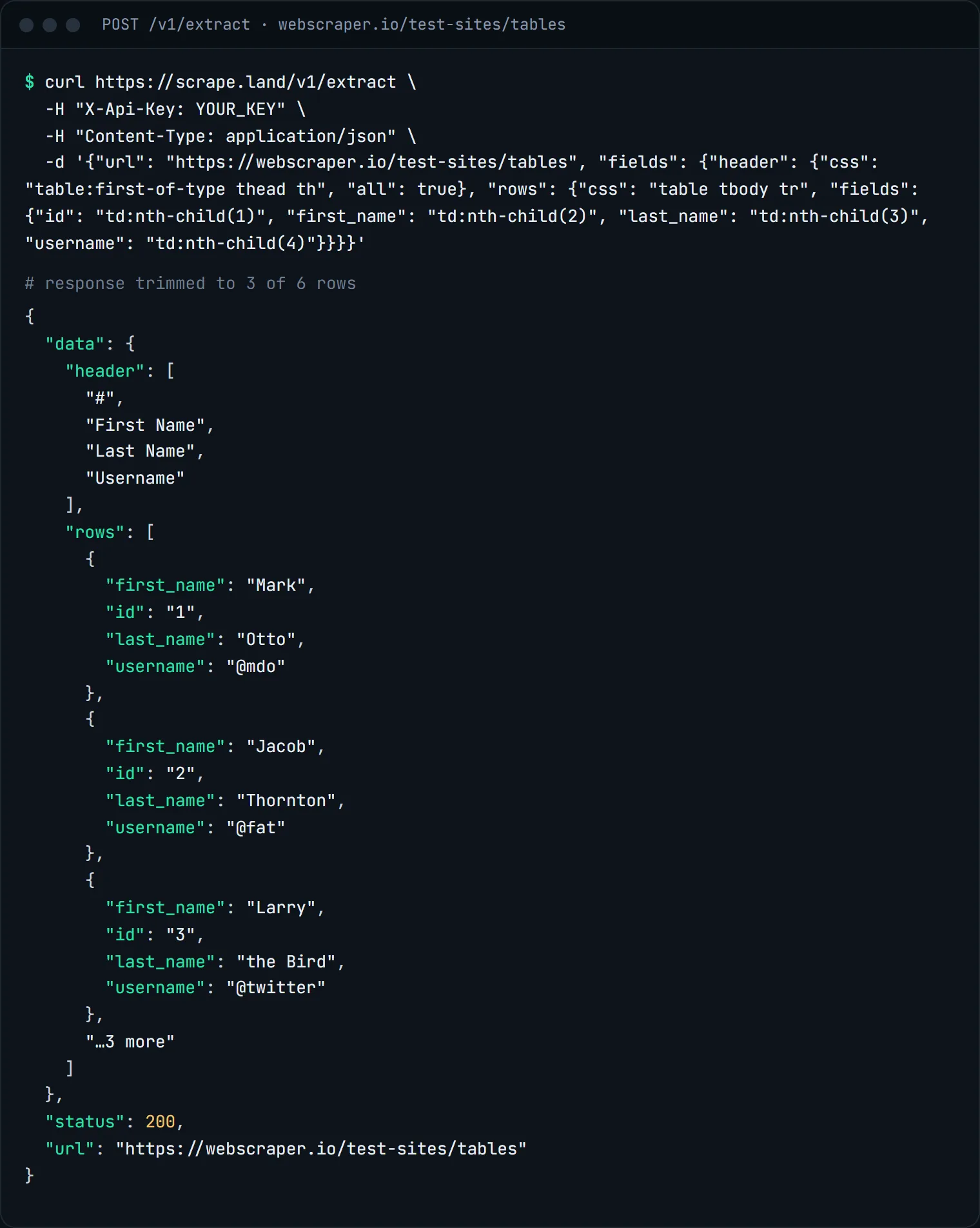
Because each row's values are read from inside that row, an empty cell becomes null in that row only. It can never shift the values of the rows after it, which is the classic bug of scraping each column separately and zipping the lists.
Write the CSV
import csv
import requests

r = requests.post(
    "https://scrape.land/v1/extract",
    headers={"X-Api-Key": "YOUR_KEY"},
    json={
        "url": "https://webscraper.io/test-sites/tables",
        "fields": {
            "rows": {
                "css": "table tbody tr",
                "fields": {"id": "td:nth-child(1)", "first_name": "td:nth-child(2)",
                           "last_name": "td:nth-child(3)", "username": "td:nth-child(4)"},
            }
        },
    },
    timeout=60,
)
r.raise_for_status()
rows = r.json()["data"]["rows"]

with open("people.csv", "w", newline="", encoding="utf-8") as f:
    w = csv.DictWriter(f, fieldnames=["id", "first_name", "last_name", "username"])
    w.writeheader()
    w.writerows(rows)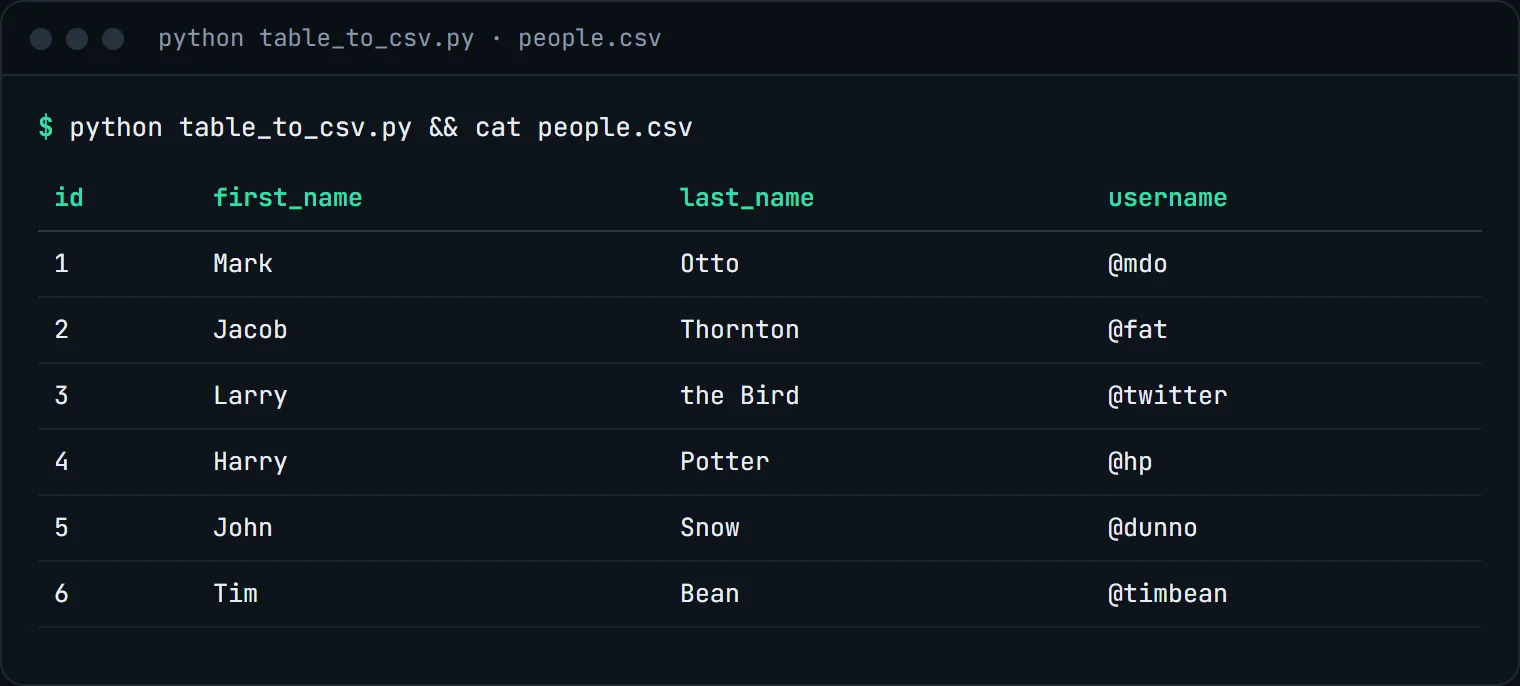
Key-value spec tables
Product pages often have a two-column table: a label in <th>, a value in <td>. Read both columns as lists and zip them into a dictionary. On a books.toscrape.com product page this request:
{"url": "https://books.toscrape.com/catalogue/a-light-in-the-attic_1000/index.html",
 "fields": {"keys": {"css": "table.table th", "all": true},
            "values": {"css": "table.table td", "all": true}}}
returned seven keys (UPC, Product Type, Price (excl. tax), Price (incl. tax), Tax, Availability, Number of reviews) and seven values, so dict(zip(data["keys"], data["values"])) gives you the spec sheet. Zipping is safe here because every row has exactly one of each cell.
Whole tables as Markdown
If you want the table for a person or a language model rather than for a CSV, "format": "markdown" on /v1/fetch keeps tables as Markdown tables, with the rest of the page's text around them. See clean Markdown for LLMs.
What it costs
Each extraction is 1 request unit, since the tables are in the server's HTML. The screenshots above were 10 units each; you do not need them to extract. See pricing.
Next steps
Nested fields and :nth-child() are covered in the docs. For tables spread over many pages, combine this with the pagination tutorial, or send a list of URLs to the batch endpoint. Create a free account and export your first table.