
How to scrape infinite-scroll pages
Infinite-scroll pages show a first batch of items, then fetch more with JavaScript each time you reach the bottom. A plain HTTP request only ever sees the first batch, or nothing at all. This tutorial renders the page in a real browser, scrolls it a few times with short pauses, and then reads every item that loaded. The target is quotes.toscrape.com/scroll, a practice page that loads ten quotes per scroll.
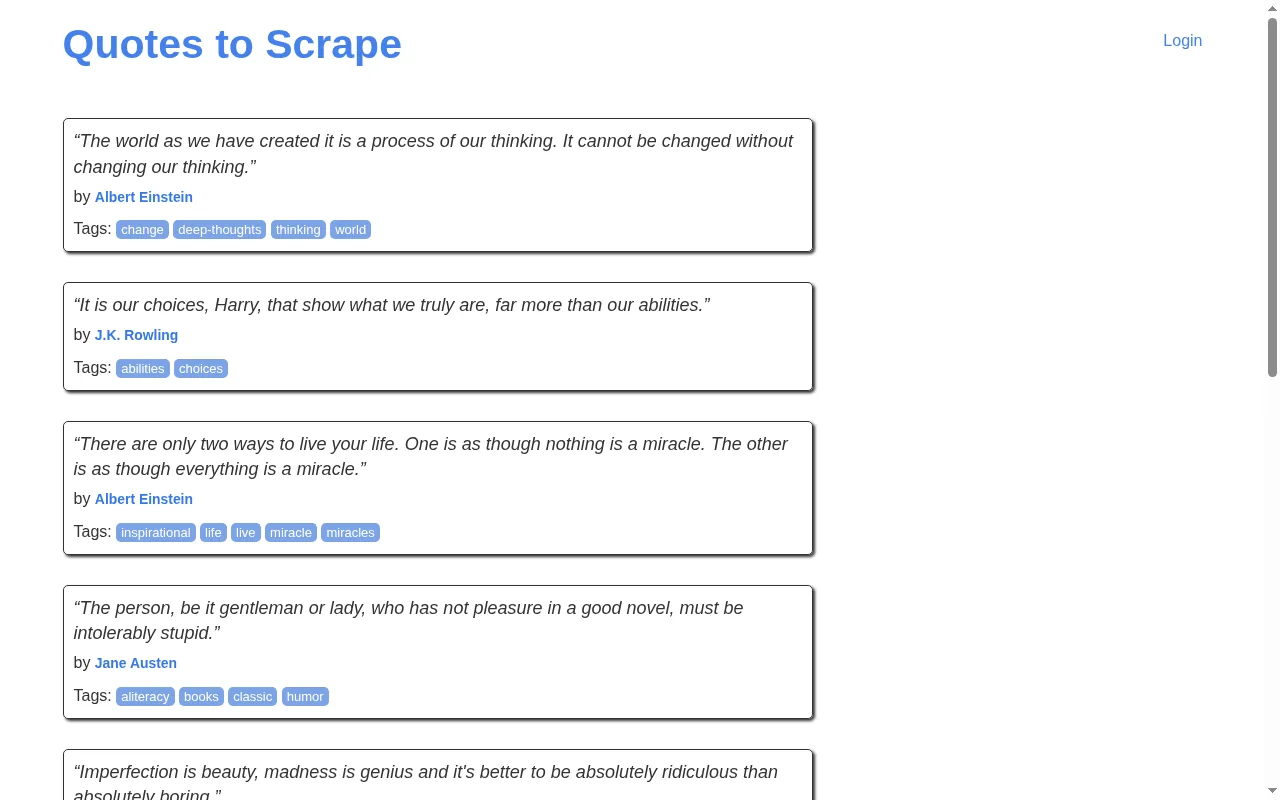
"screenshot": true. More quotes arrive only when the page is scrolled.How the request works
Three options do the work:
"render": trueloads the page in a real browser and runs its scripts."actions"is a short list of steps that run before the page is read. Ascrollstep with nopxjumps to the bottom of the page; with"px": 800it scrolls by that many pixels. Awaitstep pauses formsmilliseconds so the next batch can arrive."block_resources": trueskips images, fonts and media. The DOM your selectors read is the same, and the render bills 1 unit instead of 5.
curl https://scrape.land/v1/extract \
  -H "X-Api-Key: YOUR_KEY" \
  -H "Content-Type: application/json" \
  -d '{"url": "https://quotes.toscrape.com/scroll",
       "render": true,
       "block_resources": true,
       "wait_for": ".quote",
       "actions": [
         {"type": "scroll"}, {"type": "wait", "ms": 1500},
         {"type": "scroll"}, {"type": "wait", "ms": 1500},
         {"type": "scroll"}, {"type": "wait", "ms": 1500}
       ],
       "fields": {
         "quotes": {"css": ".quote", "fields": {"text": ".text", "author": ".author"}}
       }}'
What came back
We ran the request twice: once without actions, once with the three scrolls above. The difference is the whole point of this tutorial:
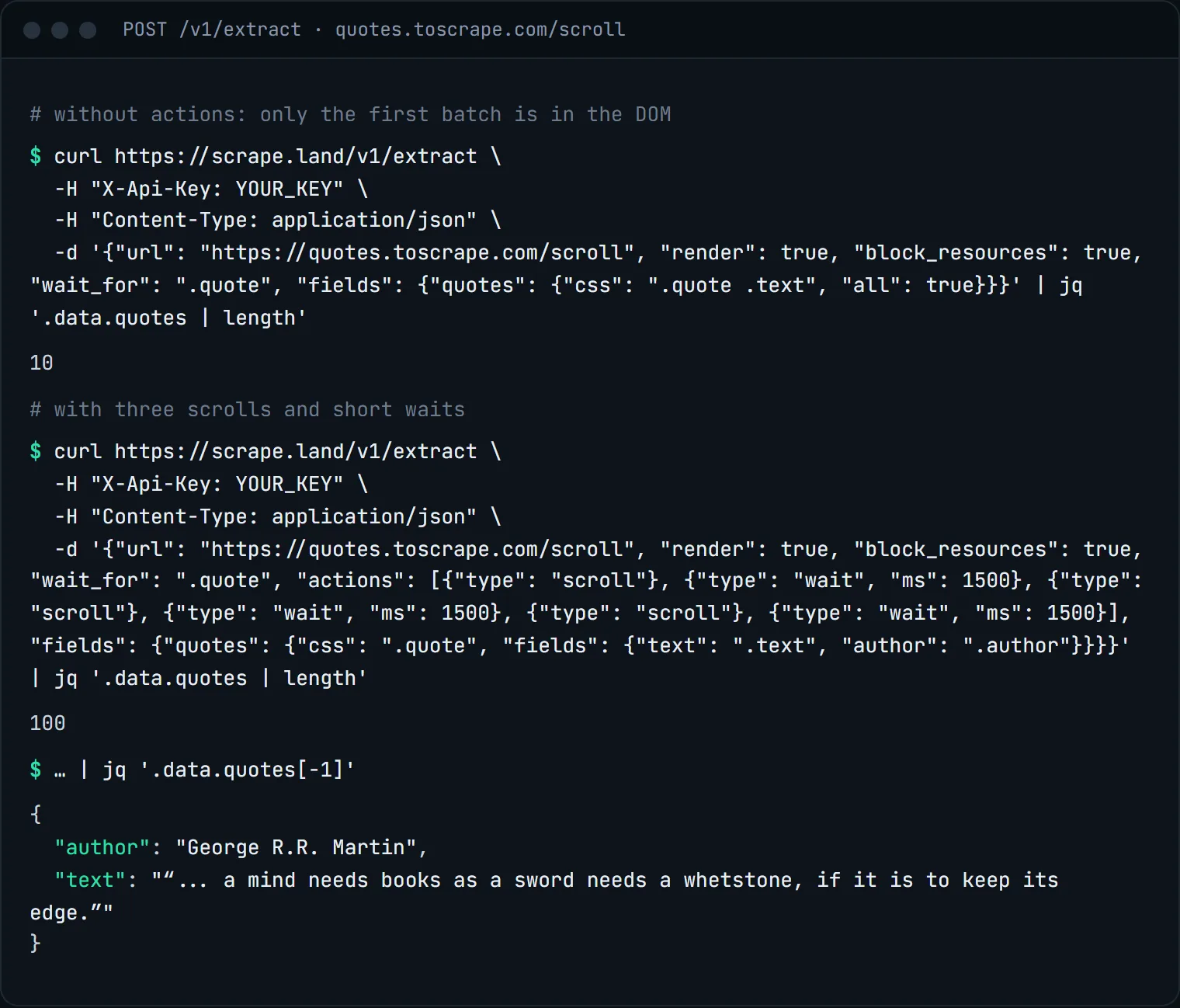
On this page every scroll to the bottom triggers the next batch, and the page keeps loading while the browser waits, so three scrolls were enough to reach the end of the feed. On your target you will need to find the right number of steps by trying: start with two or three, count the items, and add more until the count stops growing.
The same thing in Python
import requests

def scroll_steps(n, pause_ms=1500):
    steps = []
    for _ in range(n):
        steps += [{"type": "scroll"}, {"type": "wait", "ms": pause_ms}]
    return steps

r = requests.post(
    "https://scrape.land/v1/extract",
    headers={"X-Api-Key": "YOUR_KEY"},
    json={
        "url": "https://quotes.toscrape.com/scroll",
        "render": True,
        "block_resources": True,
        "wait_for": ".quote",
        "actions": scroll_steps(3),
        "fields": {"quotes": {"css": ".quote",
                              "fields": {"text": ".text", "author": ".author"}}},
    },
    timeout=150,
)
r.raise_for_status()
quotes = r.json()["data"]["quotes"]
print(len(quotes), "quotes; last one by", quotes[-1]["author"])
Give a rendered request a generous client timeout. The browser has to load the page, run each step and wait, which takes longer than a single HTTP response.
Tips for real feeds
- Keep the list short. Up to 20 steps run per request, and each
waitis capped at 15 seconds. Long feeds are better split: scrape what three or four scrolls give you, and schedule the next run. - Wait for something specific.
wait_forat the top level holds until a selector exists before the steps start, so the first scroll does not fire on an empty page. - Look for the data request. Most infinite-scroll pages load each batch from a JSON endpoint. Open your browser's network tab, scroll, and look for it. If that URL is public, fetch it directly with a plain call: it is cheaper than a render and has no scrolling to tune.
- Check for "load more" buttons. Some feeds need a click instead of a scroll. Use a
clickstep with the button's selector, as shown in fill a form and click a button.
What it costs
A render bills 5 request units, or 1 with "block_resources": true, which is what the request above uses. Scroll and wait steps add no units. Adding "screenshot": true makes it 10. A render that fails is not billed. See pricing.
Next steps
The full list of actions is in the docs. For pages that build their content with JavaScript but do not need scrolling, start with how to scrape a JavaScript-heavy page. For numbered pages, see scraping a paginated catalog. Create a free account to try it.