
How to scrape a JavaScript-heavy page
You fetch a page, and the HTML you get back has an empty <div id="root"> where the content should be. The site builds its content in the browser with JavaScript, so a plain HTTP request never sees it. This guide shows how to tell when that is happening, how to render the page in a real browser through the API, and how to keep the render at the price of a normal fetch.
How to tell you need rendering
Do not render by default. Most pages, including many that feel modern, still send their content in the first HTML response, and a plain fetch is faster. Check first:
- Your CSS fields come back
nulleven though you can see the element in your browser, and there is nofield_errorsentry (so the selector itself is fine). - A
"format": "text"fetch returns almost nothing, or only a "please enable JavaScript" message. - AI extraction answers
422: the API saw an empty or script-only page and refused to spend a model call on it. That response is your signal to retry with rendering. - In your browser, View Source (not Inspect) does not contain the text you are after.
A real example
quotes.toscrape.com/js is a practice page that builds its quotes with JavaScript. In a browser it looks like any other page:
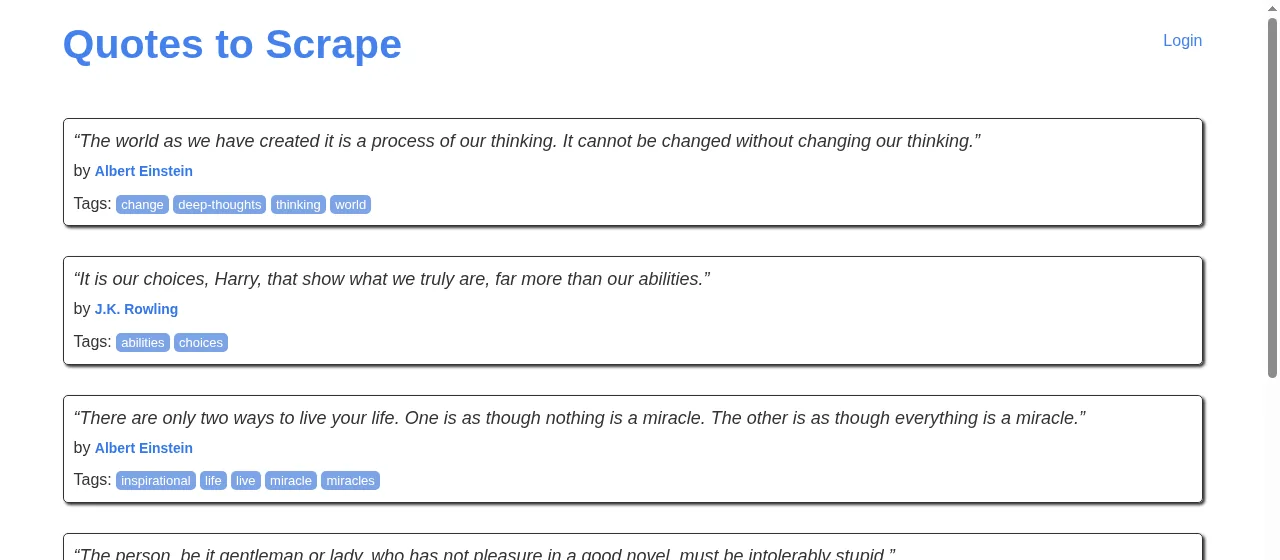
"screenshot": true and "wait_for": ".quote".We asked for the quotes twice, once plainly and once rendered. The plain fetch found none, because the HTML the server sends has only a script. The rendered one, with block_resources, found all ten:
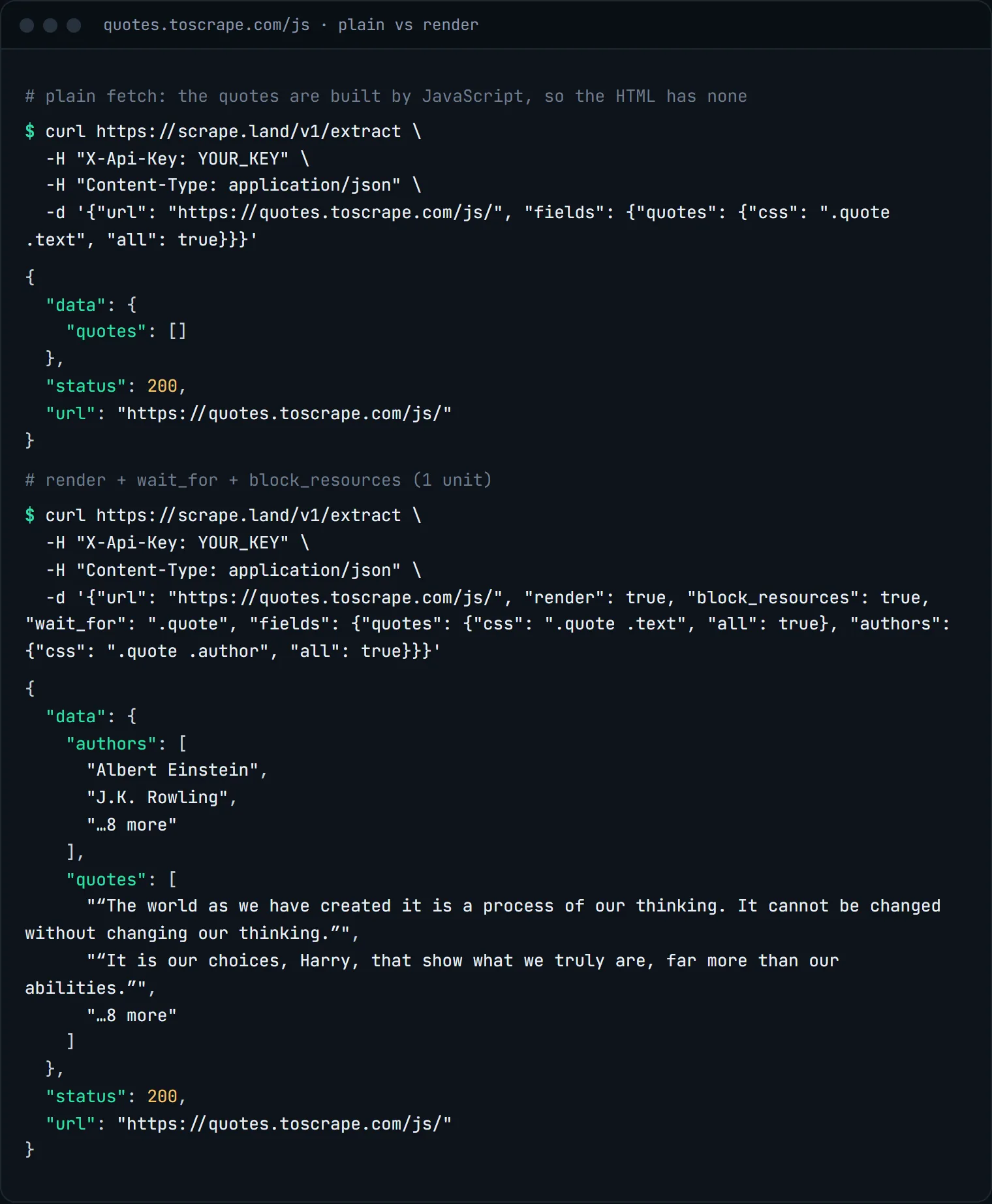
"render": true changed the answer.The request
Add "render": true and the API loads the page in a real browser, lets its scripts run, and then applies your selectors to the finished DOM. Add "wait_for" with a CSS selector to hold until that element exists, which is the reliable way to wait for content that arrives late from an API call. Add "block_resources": true to skip images, fonts and media: the DOM your selectors read is the same, the render is lighter, and it bills 1 unit instead of 5.
curl https://scrape.land/v1/extract \
  -H "X-Api-Key: YOUR_KEY" \
  -H "Content-Type: application/json" \
  -d '{"url": "https://shop.example/deals",
       "render": true,
       "wait_for": ".deal-card",
       "block_resources": true,
       "fields": {
         "deals": {
           "css": ".deal-card",
           "fields": {"title": "h3", "price": ".price", "ends": ".countdown@data-ends"}
         }
}}'import requests
body = {
"url": "https://shop.example/deals",
"render": True,
"wait_for": ".deal-card",
"block_resources": True,
"fields": {
"deals": {
"css": ".deal-card",
"fields": {"title": "h3", "price": ".price", "ends": ".countdown@data-ends"},
}
},
}
r = requests.post("https://scrape.land/v1/extract",
headers={"X-Api-Key": "YOUR_KEY"}, json=body, timeout=120)
r.raise_for_status()
for deal in r.json()["data"]["deals"] or []:
print(deal["title"], deal["price"], deal["ends"])Give rendered requests a longer client timeout than plain ones. A real browser has to load and run the page, which takes longer than a single HTTP response.
What comes back
{
  "url": "https://shop.example/deals",
  "status": 200,
  "data": {
    "deals": [
      {"title": "Noise-cancelling headphones", "price": "$129.00", "ends": "2026-10-02T23:59:00Z"},
      {"title": "Mechanical keyboard", "price": "$74.99", "ends": "2026-10-01T12:00:00Z"}
    ]
  }
}
The shape is identical to a non-rendered extraction. Your parsing code does not change when you switch rendering on or off, which makes it easy to try both and keep whichever works.
Content behind scrolling or clicks
Some pages only load more items when you scroll, or hide details behind a "show more" button. Rendered requests accept actions: a short list of steps (scroll, click, wait, wait_for, fill) that run before the page is read. The docs list the exact syntax. Keep the list short; each step adds time to the request. Worked examples: scraping infinite-scroll pages and filling a form and clicking a button.
If you only need the whole rendered page rather than specific fields, the same options work on POST /v1/fetch. Combine them with "format": "markdown" to get the rendered page as clean text.
Look for the data before you render
Many JavaScript sites load their content from a JSON endpoint, and many embed it in the page as structured data. Two checks can save you the render entirely:
- Fetch with
"metadata": true. It returns the page's schema.org JSON-LD and OpenGraph tags, which often already hold product names, prices and dates. - Open your browser's network tab and look for the request that returns the data. If that URL is public, fetch it directly and read the JSON.
What it costs
"render": true costs 5 request units per page, or 1 with "block_resources": true. A plain fetch is 1. You only pay for responses that land; blocks and retries are free. See pricing.
Next steps
Rendering options, actions and timeouts are documented in the docs. To turn a rendered page into text for a model, see clean Markdown for LLMs. Create a free account to try it on your own page.